
Wedding Planner Software Stack for Indian Weddings
A practical wedding planner software stack for Indian weddings: what to use for clients, vendors, guest questions, payments, timelines, and production week.
Wedding planner software should not be one overloaded app. For Indian weddings, the strongest stack is a simple client workspace, a vendor CRM, a budget and payment tracker, a run sheet, a guest communication layer, and one AI concierge for repeat guest questions.
Before choosing more software, define how the team should use it. This wedding planner SOP template turns recurring work into owned steps, completion checks, and escalation rules.
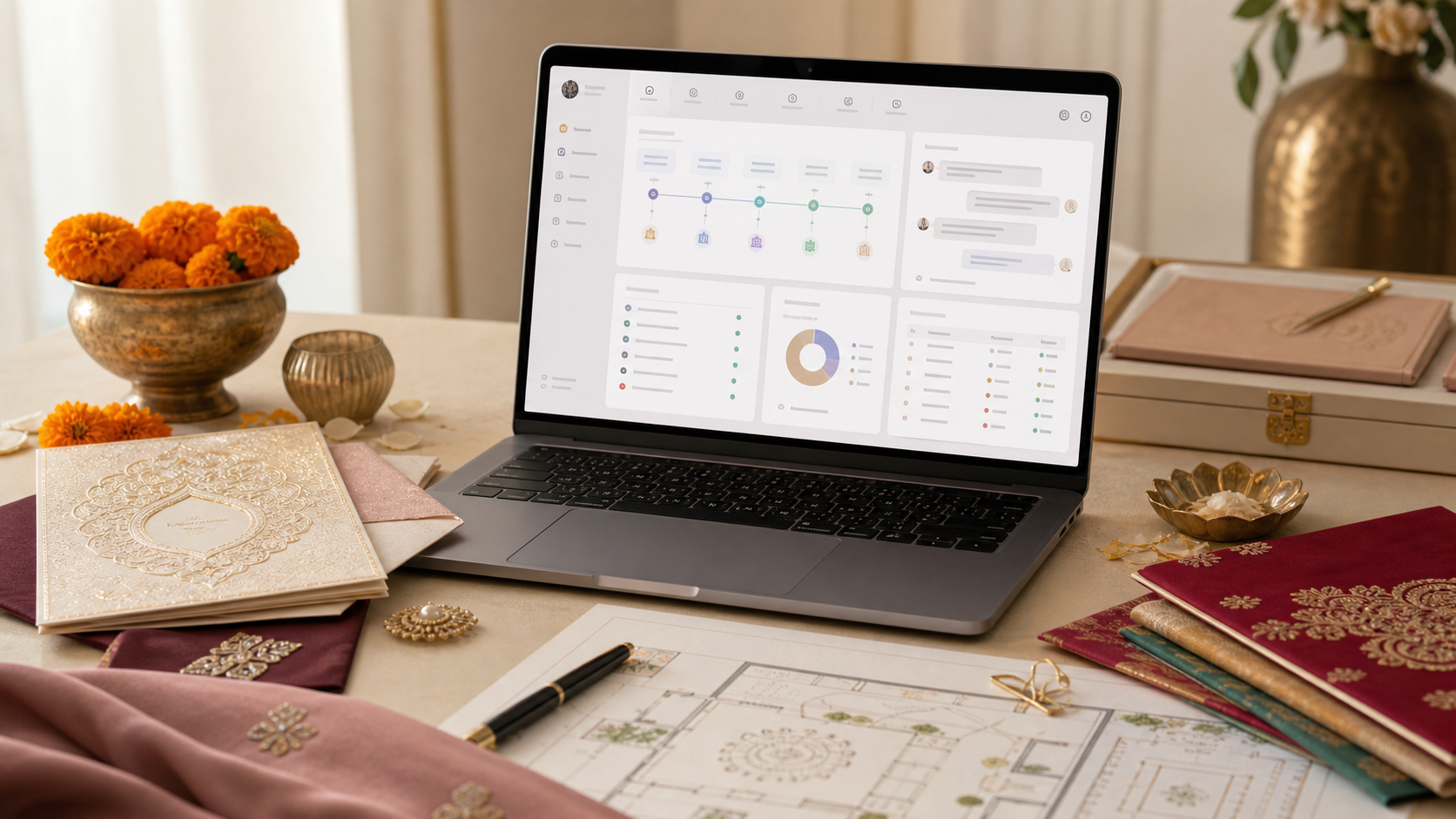
The worst wedding planner software stack is the one that looks impressive in a sales demo and collapses during production week.
Indian weddings do not fail because the planner forgot to buy software. They fail because guest questions live in one WhatsApp group, vendor changes live in another, payments live in a private parent chat, and the final run sheet exists as three slightly different versions. The outcome you want is simpler: every category of information has one home, every owner knows where to update it, and guests get answers without pulling the planner away from vendors.
Use this guide to build a wedding planner software stack that works for Indian weddings, destination weddings, and NRI-heavy guest lists without becoming a full-time admin project.
What software do wedding planners actually need?
Wedding planners need software for six jobs: client approvals, vendor tracking, guest data, budget and payment visibility, production timelines, and guest communication. If a tool does not protect one of those jobs, it is probably extra noise.
If guest support is the bottleneck, use the wedding planning platform comparison checklist to test accuracy, update speed, languages, privacy, and escalation before choosing that layer.
Fast rule: buy or build the stack around failure points, not features. A planner does not need "a platform." A planner needs fewer missed approvals, fewer vendor surprises, fewer guest calls, and one final version of the wedding plan.
Wedding planner software is the operating stack a planner uses to capture decisions, assign owners, track vendors, control guest data, publish run sheets, and answer repeat wedding questions.
If you are still defining your full process, start with the wedding planner checklist. This article is the software layer that sits on top of that checklist.
What is the best wedding planner software stack for Indian weddings?
The best wedding planner software stack for Indian weddings is modular: one tool for each operational lane. Indian weddings have too many events, family-side owners, vendors, guests, rituals, rooming details, and language needs for one generic app to handle everything well.
Here is the practical stack:
| Planning lane | Use this type of tool | What it must protect | | --- | --- | --- | | Leads and inquiries | CRM or form pipeline | New client follow-up, proposal status, scope | | Client approvals | Notion, ClickUp, Google Docs, or portal | Decisions, owner, deadline, consequence | | Vendors | Airtable, Sheets, CRM, or vendor database | Scope, arrival time, payment, on-site lead | | Guest list and RSVP | Sheets, Airtable, Typeform, wedding website | Headcount, event attendance, meals, rooms | | Budget and payments | Sheets, Zoho, Tally, payment tracker | Advances, balances, release owner, proof | | Run sheet | Google Sheets, Notion, or planning template | Minute-by-minute execution version | | Guest questions | Mandap Chat, FAQ page, WhatsApp broadcast | Approved answers without planner interruption |
The stack should be boring enough that an assistant planner can update it at midnight and clear enough that a parent can understand the summary.
How do you choose between all-in-one software and a modular stack?
Use all-in-one software only if your weddings are simple, your team is small, and your clients will actually use the portal. Use a modular stack if you run Indian weddings with multiple events, family approvals, outstation guests, and vendor-heavy production.
The decision table:
| Situation | Better choice | Why | | --- | --- | --- | | One event, under 150 guests | All-in-one tool | Fewer moving parts | | Multi-event Indian wedding | Modular stack | Different data needs per event | | Destination wedding | Modular stack | Rooms, transport, arrivals, and FAQs need depth | | Planner managing 8+ weddings | CRM plus project tool | Pipeline and workload matter | | NRI couple with overseas guests | Modular stack plus AI concierge | Time zones and guest questions multiply | | Family insists on WhatsApp only | Modular stack with WhatsApp summaries | Private decisions still need a source of truth |
The trap is pretending one app can replace judgment. Software should carry the facts so the planner can use judgment where it matters: family politics, vendor negotiation, ritual timing, weather calls, and on-site tradeoffs.
What should the client workspace include?
The client workspace should show only the decisions and facts clients need, not every internal planning task. Couples and parents need confidence, not a live view of planner admin.
Include:
- Event list and current status.
- Approved budget ceiling and buffer.
- Open decisions with owner and due date.
- Vendor shortlist and signed vendors.
- Payment milestones and blockers.
- Guest-impacting decisions.
- Links to the latest itinerary, rooming list, and guest FAQ.
Do not include:
- Internal staff assignments.
- Every vendor negotiation note.
- Drafts that are not ready for family review.
- Private risk commentary that should be handled in a call.
Use the wedding planner client update template as the weekly summary, then keep a set of wedding planner email templates for approvals, vendor confirmations, guest FAQs, and urgent escalations. The software can hold the detail; the update and templates should tell the family what changed and what needs action.
What should the vendor management system track?
The vendor system should track the people who will actually show up, not just the company that signed the contract. A beautiful vendor list is useless if it does not name the on-site lead, setup time, payment status, and escalation contact.
At minimum, track:
- Vendor category.
- Company name and legal billing name.
- Contract owner.
- On-site lead and backup contact.
- Event or function covered.
- Scope summary.
- Load-in time.
- Setup-complete time.
- Staff meal or room requirement.
- Payment advance, balance, holdback, and proof.
- Dependency on another vendor.
- Final confirmation timestamp.
Use a dedicated wedding vendor contact list for names and numbers, then pair it with the wedding vendor communication checklist before production week. Do not trust "already confirmed" unless the latest version is written down.
Where should guest data live?
Guest data should live in one structured tracker that controls RSVP, events attended, meal notes, rooming, transport, airport arrivals, family side, VIP status, and special support. If guest data is split across invitation RSVPs, WhatsApp messages, hotel emails, and memory, the planner will miss something.
For Indian weddings, the guest tracker should include:
| Field | Why it matters | | --- | --- | | Guest name and family side | Stops duplicate invitations and awkward omissions | | Events attending | Drives food, seating, gifts, and room blocks | | Meal preference | Helps catering and Jain/vegan/allergy counts | | Hotel and rooming status | Prevents front-desk confusion | | Arrival and departure | Controls airport pickup and shuttle planning | | VIP or elder support | Helps seating, mobility, and host attention | | Preferred language | Improves guest communication and FAQ replies | | Notes visible to concierge | Lets guest-facing answers stay accurate |
If guest movement is already complex, use the wedding hotel rooming list, wedding shuttle schedule template, and wedding meal preference RSVP guide as separate operating views from the same source data.
Is WhatsApp enough for wedding planning?
WhatsApp is excellent for fast coordination, but it is weak as a permanent record. Messages get buried, voice notes are hard to audit, and separate groups create separate versions of the truth.
Use WhatsApp for:
- Quick confirmations.
- Broadcast reminders.
- Vendor arrival updates.
- Parent-friendly summaries.
- Day-of escalation.
Do not use WhatsApp as the only place for:
- Final run sheet.
- Payment status.
- Guest list.
- Vendor scope.
- Client approvals.
- Rooming list.
- Food counts.
WhatsApp's own help material describes Business features like quick replies and labels for organizing customer chats, but those features still work best when they distribute approved information from a source of truth, not when they become the source of truth themselves (WhatsApp quick replies, WhatsApp labels).
Where does Mandap Chat fit in the stack?
Mandap Chat belongs in the guest communication lane. It should not replace the planner's internal project tool, vendor tracker, payment tracker, or run sheet. It should answer routine guest questions so those questions do not hit the planner, couple, siblings, parents, or vendor phone.
Upload the approved guest-facing facts:
- Event schedule.
- Venue names and map notes.
- Dress codes.
- Food notes and alcohol policy.
- Hotel room-block details.
- Shuttle and airport pickup rules.
- Kids policy.
- Gift, shagun, or registry notes.
- Ritual explainer notes.
- Emergency or help contact.
Then place the Mandap Chat link inside invitations, the wedding website, reminder messages, hotel desk notes, and final-week WhatsApp broadcasts. Guests can ask "what time is haldi?", "can I wear black to sangeet?", "where does the shuttle leave from?", or "is there Jain food?" without interrupting planner operations.
For planners, the commercial value is simple: Mandap Chat turns guest support into a visible premium add-on. It helps the client feel looked after while protecting the planner's time during the weeks when vendor execution matters most. If you sell to destination or NRI couples, connect it directly to Mandap Chat for wedding planners or Mandap Chat for NRI couples in your proposal.
What should the production week software setup look like?
Production week needs fewer tools, not more. By the final seven days, the planner should have one final run sheet, one vendor roster, one guest answer set, one rooming and transport view, one payment blocker list, and one escalation tree.
For multi-shift event teams, use a wedding planner shift handover template between coordinators so the software stack does not hide live context inside separate chats and dashboards.
Use this final-week setup:
| Asset | Owner | Where it lives | | --- | --- | --- | | Final run sheet | Lead planner | Sheet plus printed copies | | Vendor roster | Operations lead | Sheet plus phone export | | Guest answer set | Communication owner | Mandap Chat, website, broadcast | | Rooming and transport | Hospitality lead | Sheet plus hotel/transport copy | | Payment blockers | Finance owner | Private tracker | | Escalation tree | Lead planner | Printed sheet and internal chat |
This is where the wedding production week checklist becomes the final operating pass. If a tool has not been updated before production week, do not introduce it during production week.
What should planners avoid when buying software?
Avoid software that creates more admin than clarity. A planner software stack should reduce questions, not create a second job for the planner.
Common mistakes:
- Buying an all-in-one app before defining the workflow.
- Letting clients comment inside every internal task.
- Keeping guest data in more than one place.
- Using WhatsApp as the only approval record.
- Tracking vendor company names but not on-site leads.
- Publishing guest FAQs before the planner has approved final facts.
- Adding a new tool during the final month.
- Choosing software that parents, assistant planners, or vendors cannot realistically use.
The best stack is not the fanciest one. It is the one your team updates under pressure.
What is the minimum viable stack for a new Indian wedding planner?
Start with this:
- A CRM or inquiry form for leads.
- Google Workspace for proposals, budgets, guest lists, and run sheets.
- Notion, ClickUp, or Trello for internal tasks.
- WhatsApp Business for quick replies and broadcasts.
- Canva for client-facing visual drafts.
- Zoho, Tally, Razorpay, or a clean payment tracker for money.
- Mandap Chat for guest FAQs and multilingual guest support.
You can run real weddings on this stack before buying heavier wedding and event planning software. Upgrade only when the pain is specific: too many leads, too many planners, too many vendors, too many guest questions, or too many clients asking for a portal.
FAQ
What software do wedding planners use?
Wedding planners usually use a CRM or inquiry tracker, a client workspace, Google Sheets or Airtable for structured planning data, WhatsApp Business for fast coordination, Canva for design drafts, a production run sheet, and Mandap Chat or another FAQ layer for repeat guest questions.
What is the best wedding planner software for Indian weddings?
The best setup is a modular stack. Use a CRM for inquiries, Sheets or Airtable for structured data, ClickUp or Notion for tasks, WhatsApp Business for quick updates, and Mandap Chat for guest-facing questions in multiple languages. One all-in-one app rarely handles Indian wedding complexity cleanly.
How should a wedding planner choose software?
Choose software by the operational problem it solves. The strongest tools protect client approvals, vendor scope, guest data, payment visibility, run sheets, or guest questions. If a tool does not reduce missed details or repeat communication, skip it.
Is WhatsApp enough for wedding planning?
No. WhatsApp is useful for speed, but it should distribute approved information from a tracker, run sheet, client update, or FAQ system. It should not be the only record for payments, guest counts, vendor scope, or final timings.
Where does Mandap Chat fit in a planner software stack?
Mandap Chat fits in the guest communication layer. The planner uploads approved schedule, venue, dress code, food, hotel, transport, and FAQ details so guests can get instant answers while the planner protects vendor and family decision channels.
Frequently asked questions
What software do wedding planners use?+
What is the best wedding planner software for Indian weddings?+
How should a wedding planner choose software?+
Is WhatsApp enough for wedding planning?+
Where does Mandap Chat fit in a planner software stack?+
Continue the series
A wedding planner escalation matrix assigns each type of problem a severity, response time, first owner, final decision owner, and communication route before the wedding begins.
Wedding planner quality control is a separate verification pass that checks whether approved details match across contracts, run sheets, vendor briefs, venue plans, and guest communication before execution begins.
An NRI wedding budget in India should be built in INR around guest count, city, event count, room nights, and production complexity—then protected with separate currency and contingency buffers.
Wedding plus-one wording should state exactly who is invited, where the guest adds their companion's name, and whether the rule applies to every function. Clear language feels kinder than a vague invitation followed by an awkward refusal.
Wedding vendor meals keep photographers, planners, drivers, decor, sound, and hospitality teams working through long Indian wedding functions. Count crew by event, confirm dietary needs, schedule service before the guest rush, and give one caterer captain the final list.